
Article / AI Workflows
How to build a Perfect Proposal Generator inside your AI operating system
Turn a discovery call into a proposal, statement of work and follow-up email ready for your review. Get the free setup guide.
I want my team spending their time on calls that move business toward a close. Understanding the customer. Working through objections. Helping them make a decision.
But then the call ends. Someone still has to build the proposal, get the scope and terms right, prepare the contract, find the links and write the follow-up. Meanwhile, the next call is starting.
We can have a great conversation and still lose the opportunity if we don’t get that work done. The customer can’t sign a proposal we haven’t sent.
That’s why we built Perfect Proposal Generator into our AI operating system. It takes the discovery call, prepares the proposal and statement of work, and puts an email with both documents linked into my drafts. I review, make any changes, set up the signature request and send.
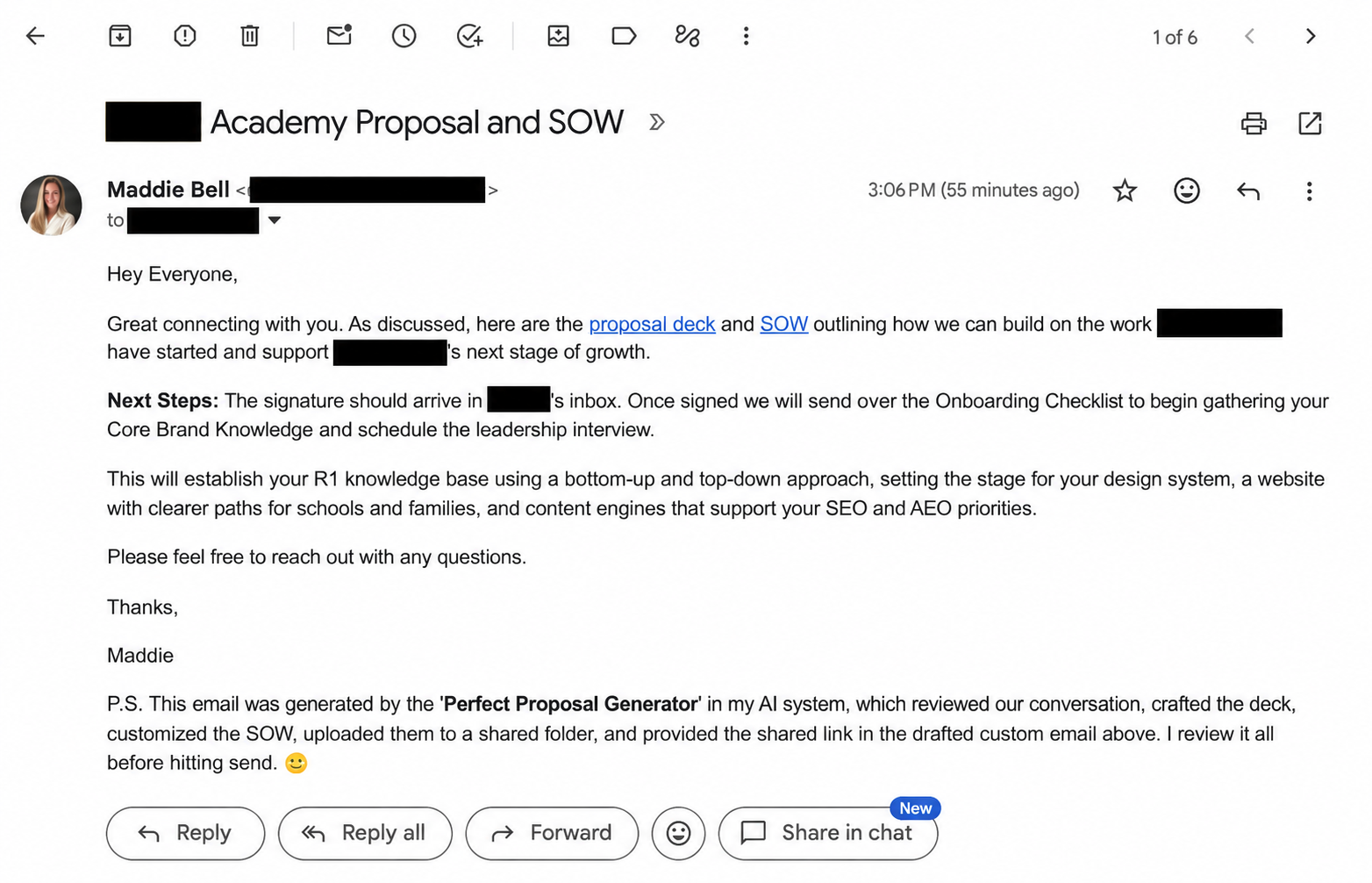
Here’s how to build that workflow for your business.
1. Give the AI the knowledge it needs to represent your business
If you just tell AI to start writing your proposals, you are going to be in trouble. It needs to understand what you sell before it can explain why someone should buy it.
Start by giving it your current offer, an approved proposal, your latest statement of work, a follow-up email that sounds like you and the transcript from the new customer call. Include your brand and design guidelines if you have them.
Then have it interview you to fill the gaps:
- What do you sell, and what should the customer get from it?
- What’s included? What costs extra? What don’t you offer?
- What pricing, payment terms and timing can it use?
- Which parts of the old proposal are reusable, and which belonged to that customer?
- What did this customer ask for, and what did you actually agree to?
- Did anything change after the call?
- Which facts are missing and need your answer?
Give each source a clear purpose. Your reference deck supplies the visual style. Your current SOW supplies the contract structure. The new call supplies the customer’s needs and the commitments you discussed. Your explicit corrections update those commitments.
If the sources disagree, the AI should flag the conflict. If a legal name or term is missing, it should ask. An old customer’s agreement is a starting point, not permission to reuse their deal.
Save your standing offer rules in the shared knowledge base so you don’t have to teach the same offer every time. Keep this customer’s terms and corrections with their deal.
2. Define the outcome you want to review
I don’t want proposals going out the door without my approval. I also don’t want to hunt through a chat for the deck, the SOW and the email, then assemble everything myself.
My outcome is an email waiting in Gmail Drafts with the right documents linked. I can open it, review the whole package and ask for changes in one place.
Write down your equivalent before you connect any tools:
When this job is done, I have a customer-specific proposal, a matching SOW and an unsent email with working links to both. Any unanswered questions are clearly flagged for me.
That tells the AI what it has to finish. A deck sitting in a folder doesn’t complete the job.
3. Lock the scope and the stopping points
Decide what the AI can do on its own and where it needs you.
For our workflow, it can read the call, prepare a deal brief, draft the documents, create the sharing copies and prepare the email. It cannot invent commercial terms, send the email or request a signature.
The sequence is:
Prepare → save the linked email in Drafts → review and revise → approve → request signature → send.
I handle the signature request and the send. Until I’ve requested the signature, the draft must not say the SOW has already been sent for signature.
We also set the proposal PDFs to anyone-with-the-link viewer access, without adding the customer’s email. That lets me review before they receive a sharing notification. Anyone with a forwarded link can view those files, so choose an access rule that fits your documents.
Write these rules into the saved job instructions. They need to apply to the next proposal too.
4. Make the proposal relevant without expanding your offer
This was the biggest correction in our first run.
The customer had different audiences coming to their website. The AI picked up on that and made separate audience paths a central part of the proposal. It understood the concern, but it was starting to prescribe a build we hadn’t scoped.
I wanted to explain our offer in terms that mattered to this customer:
| What we build | Why it matters |
|---|---|
| Knowledge base | Gives the AI a shared understanding of their business, expertise and voice. |
| Design system | Gives new work a consistent visual foundation. |
| Website connected to the system | Lets the team maintain and improve the site using that knowledge and design foundation. |
| First content engine, focused on SEO/AEO | Turns their expertise into a repeatable process for answering the questions their buyers ask. |
Their audience challenge helped explain why the website mattered. It didn’t need to become a promise to build separate experiences before discovery.
Give your AI this instruction: Keep our core offer intact. Use the customer’s situation to explain its value. Flag recommendations that would add scope for my review.
Then check every proposed deliverable against the call and your offer. A customer describing a problem is not the same as you agreeing to a specific solution.
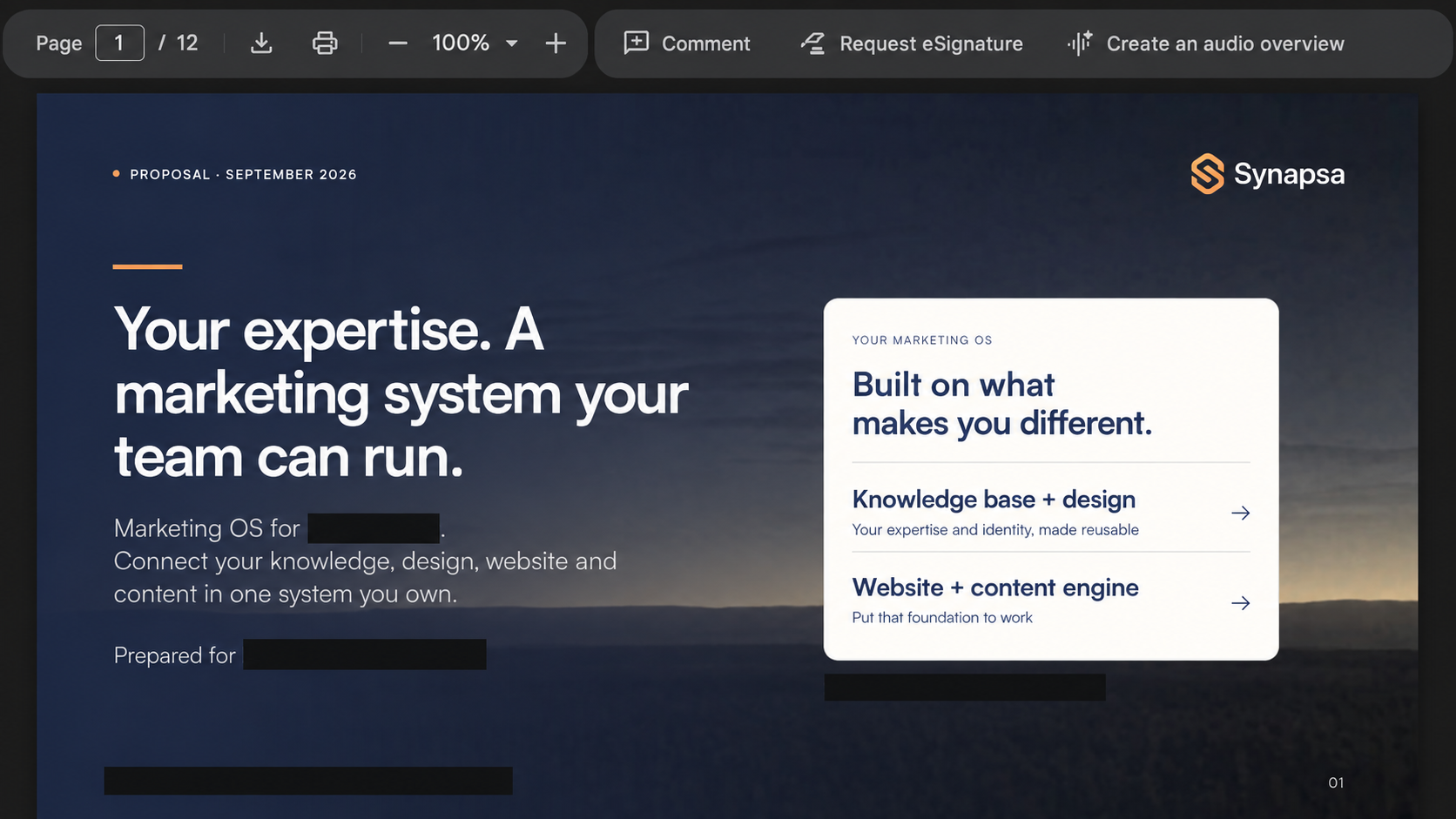
5. Connect the working files, shared documents and email
I want our repository to remain the command center. That’s where we keep the transcript, deal brief, editable files and instructions. Customers shouldn’t have to learn our system to review a proposal.
We use Google Drive for the PDFs and Gmail for the handoff:
| Where | What belongs there |
|---|---|
| Repository | Source material, editable documents, saved instructions and the record of which files belong to the deal. |
| Google Drive | Customer-facing PDFs at stable sharing links. |
| Gmail Drafts | The follow-up email, written in my voice, with those links already inserted. |
Connect tools that can upload and update files in your sharing service and create unsent email drafts. If a connection isn’t available, name the manual handoff in the instructions so the AI doesn’t claim it completed an action it couldn’t take.
Save the file IDs and email draft ID with the deal. When I approve a revision, the system replaces the PDF at the existing link and updates the same draft. We don’t need a new set of links every time I change a slide.
If I’m still working through the copy, I keep those edits local until I’m ready to update the shared version.
6. Test the complete handoff before you use it with a customer
Start with a past call and your own review folder. Run the job through to an unsent draft.
Check the package against the call: customer details, scope, pricing, timing, exclusions and next steps. Make sure the proposal and SOW agree. Open both links and inspect the documents.
Then ask for a change. Confirm it reaches the correct shared file, the original link still works, and the email remains unsent. Check that nothing has notified the customer or initiated a signature request.
Save the corrections in the job instructions. In our first run, we had to clarify how much to personalize the website recommendation, how sharing should work and exactly where the AI should stop. Those decisions now belong to the process instead of relying on me to remember them next time.
Perfect Proposal Generator is a Sales OS job we built for our own sales process. It draws on the business knowledge and design standards in our Marketing OS. Today, I supply the transcript and approve the handoff. The system prepares the package so I can review it and get back to the customer.
Get your own Perfect Proposal Generator. Free.
Want your next discovery call turned into a proposal, SOW and email ready for your review?
I’ve put the setup instructions into one file you can give your AI. You don’t have to write the workflow from scratch or figure out every question to ask.
- Get the free guide. It’s a Markdown file you can drop into your AI workspace.
- Tell your AI to read it and walk you through setup. Start in Claude Code, Replit or Codex with the tools you already use.
- Answer its questions and give it your examples. The guide tells it to interview you about your offer, learn your templates, check your connections and test the handoff with you.
You get the interview, workflow instructions, approval rules and test checklist in the same file. Your AI walks you through adapting them to your business. You keep control of what goes out the door.
Send me the free Perfect Proposal Generator guide
Leave your email and we’ll send it over. The guide is free; any AI or connected-tool charges are separate.